Choosing the Right UniFi Router for Your Home or Office in Canada
In today’s connected world, your router is the backbone of your digital life. Whether you’re managing a small business, running a home office or simply streaming your favorite shows, the right router ensures smooth, secure and uninterrupted connectivity. For Canadians, UniFi routers stand out for their reliability, advanced features and scalability. But with several models available, how do you pick the one that fits your needs?
In this guide, we’ll break down how to choose the best UniFi router for your home or office in Canada.
1. Understand Your Network Needs
Before you choose a router, start by assessing your network requirements:
- Number of Devices: How many devices will connect to your network? (e.g., laptops, IoT gadgets, CCTV cameras)
- Internet Speed: Are you on a basic 150 Mbps plan or a high-speed gigabit connection?
- Usage Type: Do you need a router for casual browsing, video conferencing or handling heavy traffic across multiple users?
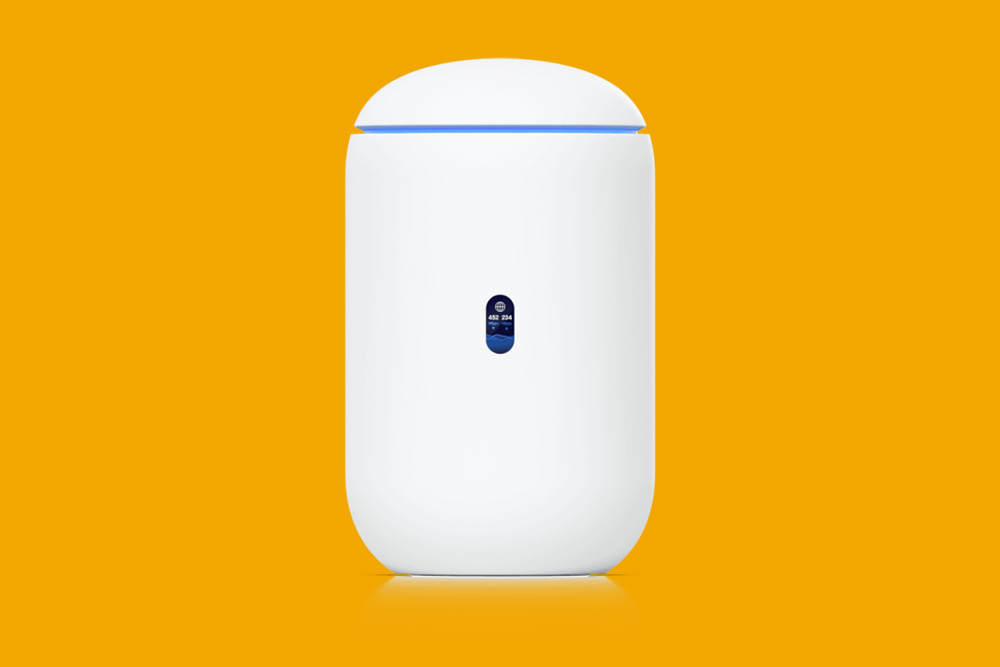
Tip: For businesses or smart homes with multiple connected devices, go for a router that supports high simultaneous connections, like the UniFi Dream Machine.
2. Choose Between CloudKey Gateways & All-in-One Routers
- UniFi offers two main types of solutions:
- Cloud Gateway + Separate Controller: Perfect for larger networks or those needing extensive customization.
- All-in-One Devices (e.g., UniFi Dream Machine): Ideal for homes and small offices, offering built-in security, easy setup and network management.
If you need simplicity, an all-in-one model like the UniFi Dream Machine will save you time. For advanced setups, a UniFi CloudKey paired with a USG (UniFi Security Gateway) is better.
3. Look for Wi‑Fi 6 Support
Wi‑Fi 6 routers deliver faster speeds, better efficiency and improved coverage, especially important for homes and offices with multiple users. Models like the UniFi Dream Machine SE are Wi‑Fi 6-enabled, future-proofing your network.
4. Don’t Overlook Security Features
Cybersecurity is critical, especially for businesses. Look for routers with:
- Built-in Firewalls to block malicious traffic.
- Remote Management through UniFi’s cloud platform.
- Automatic Updates for ongoing protection.
5. Plan for Scalability
One of the best features of UniFi routers is their scalability. If you anticipate growing your network, choose a router that integrates seamlessly with other UniFi devices like switches, access points and cameras.
Conclusion
Choosing the right router doesn’t have to be complicated. By understanding your network requirements and prioritizing performance, security and scalability, you can select a UniFi router that perfectly fits your home or business needs.
Explore top-rated UniFi routers and networking solutions at Dezinic Solutions.
If you have any questions regarding “UniFi Router”, feel free to contact via email at order@dezinicsolutions.com or call us at (647) 707-6109.
Disclaimer: Above information is subject to change and represent the views of the author. It is shared for educational purposes only. Readers are advised to use their own judgement and seek specific professional advice before making any decision. Dezinic Solutions is not liable for any actions taken by reader based on the information shared in this article. You may consult with us before using this information for any purpose.